Updated November 2, 2026 by the Dialbridge team
What is a Google review link?
A Google review link is a web address that opens the "write a review" box for one business on Google. Your customer taps it, picks the stars and writes a few words. They don't have to search for you or scroll through Maps first.
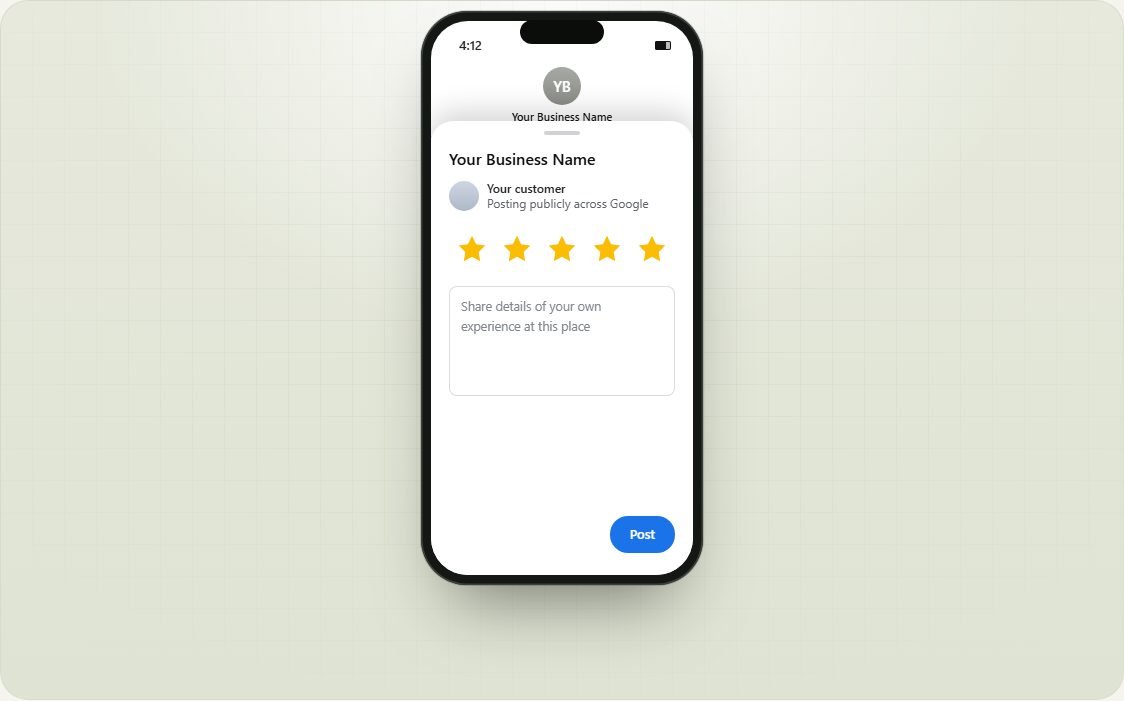
The link looks like this: https://search.google.com/local/writereview?placeid= followed by your business's Place ID. Google gives every business listing a Place ID, and this tool finds yours from your business name.
How to get your Google review link
With this tool (about 20 seconds)
- Type your business name and city in the box above.
- Pick your business from the list.
- Copy your link. Open it once on your phone to check it shows your business and the stars.
Inside your Google Business Profile
If you manage the profile, Google can also give you a link. Google's help page says to go to your profile at business.google.com, choose Read reviews, then Get more reviews, and copy the link. Google gives you a short g.page link and a QR code. Google says the QR code can only be made on a computer browser for now, not on a phone.
Both links open the same review box, so use whichever is easier. This tool also works when you don't have access to the profile, for example if a web person or a past agency set it up, and it makes the QR code on a phone too.
Google My Business review link: same thing, new name
Google My Business is now called Google Business Profile. Google renamed it in November 2021 and moved most of the editing into Google Search and Maps. So a "Google My Business review link", a "Google Business review link" and a "Google Maps review link" all mean the same link today: the one that opens your review box. This generator makes it for any business on Google, old profile or new.
One thing people mix up: the link you get from Share in Google Maps is not a review link. It opens your listing, and the customer still has to find the review button. Use the review link for asking.
Where to use your review link
Ask at the moment the customer is happiest: right when the job is done and the problem is gone.
| Moment | How | Works well for |
|---|---|---|
| Job finished, tech still on site | Text the link before leaving the driveway | Garage door, HVAC, plumbing, electrical |
| An hour after the job | Text the link with the customer's name | Every trade |
| With the invoice or receipt | Add the link to the invoice email | Roofing, painting, remodeling |
| Recurring visits | Send it after the first visit, not every visit | Cleaning, lawn care, pest control, pool service |
| Your website and email signature | A "Review us on Google" link | Every trade |
Want something customers can scan instead of tap? Make a printable card or counter sign with the Google review QR code tool.
What to say when you ask
Keep it short and personal. Use their first name, say what you did, and send the link in the same message. Use "Copy a text to send" above for a ready-made message with your link in it.
Ask every customer the same way. Most people who mean to leave a review simply forget, so one friendly reminder the next day brings in more reviews than any other trick.
For the full approach, read our guide: How to get more Google reviews.
Mistakes that cost you reviews
- Only asking happy customers. Google's review policy does not allow businesses to "selectively solicit positive reviews from customers". People call this review gating. That includes tools that ask for a star rating first and only send 4 and 5 star customers to Google. Ask everyone.
- Offering something for a review. The same policy bans payment, discounts, free goods or services in exchange for a review, and Google can remove those reviews.
- Sending a Maps link instead of a review link. A Maps link opens your listing, and many people never find the review button. The review link opens the box itself.
- Waiting a week. By then the job is a memory. Ask the same day.
- Linking the wrong location. If you have more than one location, each has its own link. Test each one.
If the link does not work
- Your business does not show up in the search. Add your city or ZIP code. If it still does not show, paste the link from Google Maps (open your business, tap Share, then Copy link) using "Paste it instead".
- The wrong business opens. You picked a similar name. Search again and check the address under each result.
- The customer is asked to sign in. That is normal. Google only takes reviews from people with a Google account. Most Android phones are already signed in.
- The listing is brand new. A profile that Google has not finished verifying may not show up yet. Try again after it is verified.
Questions owners ask
Is this Google review link generator free?
Yes. There is no sign-up and no limit on how many links you make. We only use the business name you type to find the listing on Google.
Do I need to own the Google Business Profile?
No. The review link works for any business listed on Google, so you can make it even if a web person or an old agency set up the profile. Only the owner can reply to reviews, though.
Do customers need a Google account to leave a review?
Yes. Google only takes reviews from people signed in to a Google account. Most Android phones are signed in already, and iPhone users are asked to sign in when they open the link.
Can I make a link that only lets people leave 5 stars?
No. No link can do that, and Google does not allow asking only happy customers for reviews (review gating). Ask every customer the same way.
Will my review link stop working?
It keeps working as long as your Google listing exists. The link goes straight to Google, not through our servers, so it does not depend on us. If you move or Google merges your listings, make a new link here.
How do I get my Google My Business review link?
Google My Business is now Google Business Profile, and the review link works the same way. Search your business above and copy the link, or open your profile at business.google.com, choose Read reviews, then Get more reviews.
Is this different from the link in my Google Business Profile?
Both open the same review box. Google's own link starts with g.page and you need to sign in to the profile to get it. This link is built from your Place ID and works without signing in.
What if I have more than one location?
Each location has its own listing and its own review link. Search for each one, and check the address under the name before you pick it.
More free tools
- Google review QR code and printable cardsA review QR code on leave-behind cards and a counter sign you can print.
- Google Place ID finderThe Place ID for any business, by name or from a Maps link. No API key.
- Online booking for garage door companiesHomeowners see your price and book a repair in under a minute.
to share it with another owner.