Updated October 24, 2026 by the Dialbridge team
What a Google review QR code does
A Google review QR code is a square code that opens your business's review box when someone points a phone camera at it. It holds your Google review link, so the customer goes straight to the stars without searching for you.
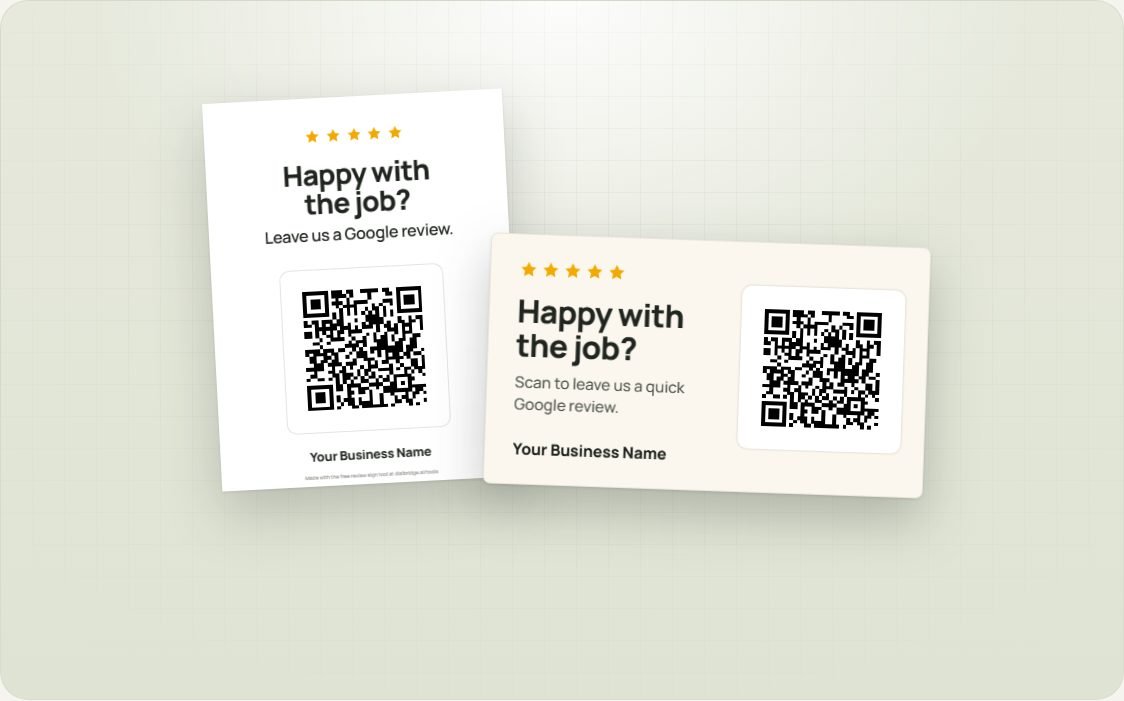
The code this tool makes points straight to Google. It does not pass through our servers, so it keeps working even if you never come back here, and it does not expire.
How to make your review QR code and cards
- Type your business name and city above and pick your business.
- Choose a card color and change the wording if you like.
- Press Print 10 cards for leave-behind cards, or Print sign for a full-page counter sign. For a truck, invoice or yard sign, download the QR code as PNG or SVG and send it to your printer.
- Scan the printed code with your own phone before you hand any out.
How big to print it
A simple rule: a QR code scans from about 10 times its own width. A 1 inch code works from about 10 inches away. A code on a truck that people scan from 10 feet away needs to be about 12 inches wide.
| Where | QR width | Scanned from |
|---|---|---|
| Business card or invoice | 0.9 to 1.2 in | Hand distance |
| Counter sign or fridge magnet | 3 to 4 in | 2 to 3 ft |
| Door hanger or yard sign | 4 to 6 in | 4 to 5 ft |
| Truck or trailer | 10 to 12 in | 8 to 10 ft |
Keep a white border around the code (the tool adds one) and print it black on white. Low contrast codes, like gray on blue, fail on older phones.
Printing the cards at home or at a print shop
- The card sheet is US Letter with 10 cards in the same layout as Avery 8371 and 5371 business card sheets. On those sheets, turn off the cut lines.
- On plain paper, use heavy card stock (80 to 110 lb) and cut along the lines.
- In the print window, set the scale to Actual size or 100%, not "Fit to page", so the cards line up.
- For a print shop, use your browser's "Save as PDF" in the print window and send them the PDF.
Ideas by trade
- Garage door and HVAC: the tech hands over a card when the job is done and says one sentence: "If we did a good job, this takes 30 seconds."
- Plumbing and electrical: a card stapled to the paper invoice, plus the link in the follow-up text.
- Cleaning, lawn care, pool and pest control: a card left on the counter after the first visit, then the sign for your office.
- Pressure washing, landscaping and junk removal: a large QR on the truck and on the yard sign while you work. Neighbors see the job and the reviews in one place.
For the full approach to getting more reviews, read our guide: How to get more Google reviews.
What Google allows
Google offers review QR codes itself, so using one is fine. Two things are not allowed: offering a discount or gift for a review, and asking only the customers you think are happy. Hand the card to everyone.
Questions owners ask
Is the Google review QR code free?
Yes. The QR code, the cards and the sign are free with no sign-up. Print as many as you like.
Does the QR code expire?
No. It holds your review link directly and does not pass through our servers, so it works for as long as your Google listing exists.
What size should I print the QR code?
A QR code scans from about 10 times its width. About 1 inch is right for a business card, 3 to 4 inches for a counter sign, and 10 to 12 inches for a truck.
Can I change the colors and wording?
Yes. Pick one of the colors or your own brand color, and change the big and small lines on the card.
What paper do the cards print on?
The sheet holds 10 cards in the Avery 8371 and 5371 business card layout. On plain card stock, keep the cut lines on and cut them apart.
Does Google allow review QR codes?
Yes. Google offers review QR codes itself. Just do not offer a reward for reviews, and hand the card to every customer, not only the happy ones.
More free tools
- Google review link generatorThe link that opens your review box, ready to text after a job.
- Google Place ID finderThe Place ID for any business, by name or from a Maps link. No API key.
- Online booking for garage door companiesHomeowners see your price and book a repair in under a minute.
to share it with another owner.